
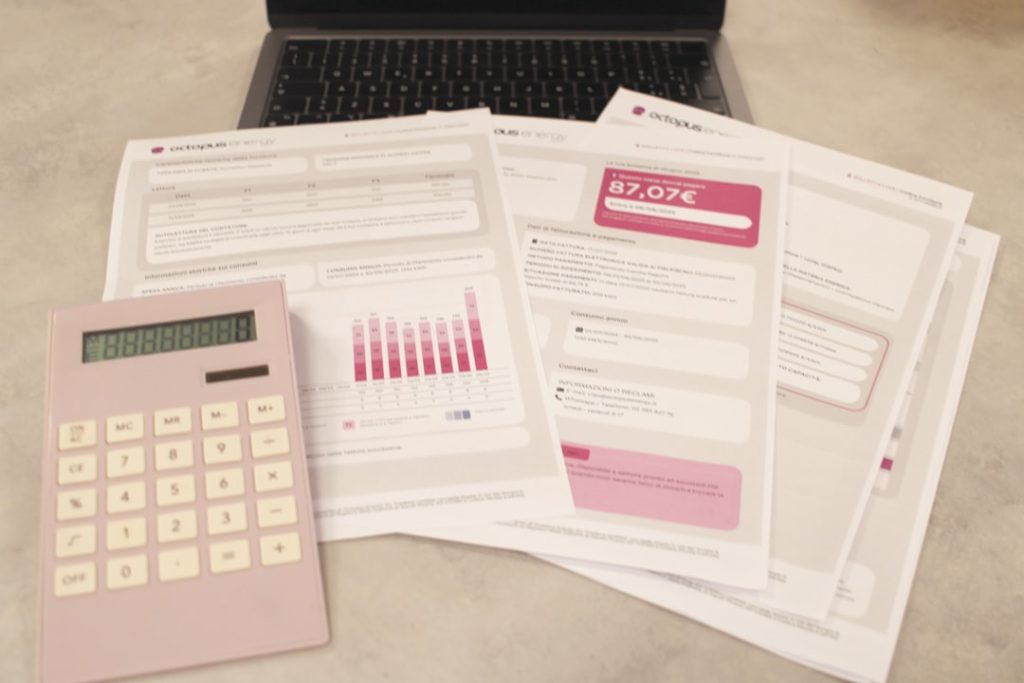
In the modern business landscape, the role of accounting software has evolved significantly, becoming an indispensable tool for organizations of all sizes. Accounting software refers to a suite of applications designed to manage financial transactions, track income and expenses, and generate reports that provide insights into a company’s financial health. With the advent of technology, traditional bookkeeping methods have been largely supplanted by these sophisticated digital solutions, which offer enhanced accuracy, efficiency, and accessibility.
The transition from manual accounting to automated systems has not only streamlined financial processes but has also empowered businesses to make informed decisions based on real-time data. The rise of cloud computing has further transformed the accounting software landscape, allowing businesses to access their financial data from anywhere with an internet connection. This flexibility is particularly beneficial for small and medium-sized enterprises (SMEs) that may not have the resources to maintain extensive IT infrastructure.
Moreover, the integration of artificial intelligence and machine learning into accounting software has introduced advanced features such as predictive analytics and automated data entry, which can significantly reduce the time spent on routine tasks. As businesses continue to navigate an increasingly complex financial environment, understanding the capabilities and advantages of accounting software becomes crucial for maintaining competitiveness and ensuring compliance with regulatory standards.
Key Takeaways
- Accounting software simplifies financial management by automating bookkeeping tasks.
- Benefits include improved accuracy, time savings, and better financial insights.
- Various types exist, from basic bookkeeping to advanced ERP systems.
- Choosing the right software depends on business size, needs, and budget.
- Customization and integration with other tools enhance efficiency and streamline processes.
Benefits of Using Accounting Software
The benefits of utilizing accounting software are manifold, with one of the most significant being the enhancement of accuracy in financial reporting. Manual accounting processes are prone to human error, which can lead to discrepancies in financial statements and potentially costly mistakes. Accounting software minimizes these risks by automating calculations and ensuring that data is consistently entered and processed according to predefined rules.
This level of precision not only fosters trust in financial reports but also aids in compliance with tax regulations and auditing requirements. Another key advantage is the time-saving aspect of accounting software. Traditional bookkeeping can be labor-intensive, requiring hours of data entry and reconciliation.
In contrast, accounting software automates many of these tasks, allowing finance teams to focus on more strategic activities such as financial analysis and forecasting. For instance, features like bank reconciliation can be completed in a fraction of the time it would take manually, freeing up valuable resources for businesses. Additionally, many accounting software solutions offer real-time reporting capabilities, enabling organizations to monitor their financial performance continuously rather than relying on periodic reviews.
Types of Accounting Software Available

The market for accounting software is diverse, catering to a wide range of business needs and preferences. Broadly speaking, accounting software can be categorized into three main types: desktop-based solutions, cloud-based solutions, and hybrid systems. Desktop-based accounting software is installed directly on a computer and typically requires a one-time purchase.
While this type may offer robust features and performance, it lacks the flexibility and accessibility that cloud-based solutions provide. Cloud-based accounting software has gained immense popularity due to its ease of use and accessibility. These solutions operate on a subscription model, allowing users to access their financial data from any device with an internet connection.
This is particularly advantageous for businesses with remote teams or multiple locations. Furthermore, cloud-based systems often come with automatic updates and backups, ensuring that users always have access to the latest features and security enhancements without additional effort. Hybrid systems combine elements of both desktop and cloud-based solutions, offering businesses the flexibility to choose how they want to manage their accounting processes.
These systems may allow for local data storage while also providing cloud access for remote collaboration. This versatility can be particularly appealing for larger organizations that require a tailored approach to their accounting needs.
How to Choose the Right Accounting Software for Your Business
Selecting the appropriate accounting software for a business involves careful consideration of various factors that align with its specific needs and objectives. One of the first steps in this process is to assess the size and complexity of the organization’s financial operations. For small businesses with straightforward accounting needs, basic software with essential features may suffice.
However, larger enterprises or those with more intricate financial structures may require advanced functionalities such as multi-currency support, project tracking, or integration with other enterprise resource planning (ERP) systems. Another critical aspect to consider is the scalability of the software. As businesses grow, their accounting needs often evolve as well.
It is essential to choose a solution that can accommodate future growth without necessitating a complete overhaul of the system. Many providers offer tiered pricing plans that allow businesses to start with basic features and upgrade as their requirements expand. Additionally, evaluating user-friendliness is paramount; a complex interface can hinder productivity and lead to frustration among staff members who may not have extensive accounting backgrounds.
Setting Up and Customizing Accounting Software
| Software | Monthly Cost | Key Features | User Rating (out of 5) | Best For |
|---|---|---|---|---|
| QuickBooks Online | 30 – 150 | Invoicing, Expense Tracking, Payroll, Tax Filing | 4.5 | Small to Medium Businesses |
| FreshBooks | 15 – 50 | Time Tracking, Invoicing, Expense Management | 4.3 | Freelancers and Small Businesses |
| Xero | 20 – 60 | Bank Reconciliation, Inventory, Multi-currency | 4.2 | Small to Medium Businesses |
| Wave | Free | Invoicing, Accounting, Receipt Scanning | 4.0 | Freelancers and Small Businesses |
| Sage 50cloud | 50 – 100 | Inventory, Payroll, Advanced Reporting | 4.1 | Medium Businesses |
Once a business has selected its accounting software, the next step involves setting it up and customizing it to meet specific operational requirements. The initial setup process typically includes configuring company information such as name, address, tax identification numbers, and other relevant details. This foundational step ensures that all financial transactions are accurately attributed to the correct entity.
Customization is equally important as it allows businesses to tailor the software to their unique workflows and reporting needs. Most accounting software solutions offer various customization options, including the ability to create custom charts of accounts, define user roles and permissions, and set up automated workflows for recurring transactions. For example, a business may choose to automate invoicing for regular clients or establish alerts for overdue payments.
By taking advantage of these customization features, organizations can enhance efficiency and ensure that their accounting processes align seamlessly with their operational practices.
Integrating Accounting Software with Other Business Tools

The integration of accounting software with other business tools is a crucial consideration for organizations seeking to streamline their operations further. Many modern accounting solutions offer APIs (Application Programming Interfaces) that facilitate seamless connections with various third-party applications such as customer relationship management (CRM) systems, inventory management tools, and e-commerce platforms. This interconnectedness allows for real-time data sharing across different departments, reducing the need for manual data entry and minimizing errors.
For instance, integrating an accounting system with a CRM can enable automatic updates of customer invoices based on sales transactions recorded in the CRM platform. This not only saves time but also ensures that financial records are always up-to-date. Similarly, linking inventory management software with accounting tools can provide insights into cost of goods sold (COGS) and help businesses maintain optimal stock levels while accurately reflecting inventory values in their financial statements.
Moreover, many accounting software providers offer built-in integrations with popular payment processing platforms, enabling businesses to accept payments directly through their accounting system. This feature simplifies cash flow management by allowing organizations to track incoming payments alongside their expenses in real-time.
Streamlining Financial Processes with Accounting Software
Accounting software plays a pivotal role in streamlining financial processes within an organization by automating routine tasks and providing comprehensive visibility into financial performance. One significant area where this automation proves beneficial is in expense tracking. With many solutions offering mobile applications or receipt scanning capabilities, employees can easily capture expenses on-the-go, which are then automatically categorized and recorded in the system.
This not only expedites reimbursement processes but also enhances accuracy by reducing manual entry errors. Additionally, budgeting and forecasting become more manageable with accounting software’s analytical tools. Businesses can leverage historical data to create realistic budgets and projections based on past performance trends.
Many platforms provide visual dashboards that present key performance indicators (KPIs) at a glance, allowing decision-makers to quickly assess financial health and make informed choices about resource allocation or strategic initiatives. Furthermore, generating financial reports has never been easier thanks to the reporting capabilities embedded within most accounting software solutions. Users can create customized reports tailored to specific needs—be it profit and loss statements, balance sheets, or cash flow analyses—without requiring extensive knowledge of accounting principles or spreadsheet manipulation.
Tips for Maximizing the Efficiency of Accounting Software
To fully leverage the capabilities of accounting software, businesses should adopt best practices that enhance efficiency and effectiveness in their financial operations. One essential tip is to ensure regular training for staff members who will be using the software. Familiarity with all features—ranging from basic functions like invoicing to advanced analytics—can significantly improve productivity and reduce reliance on external support.
Another strategy involves regularly reviewing and updating financial processes in conjunction with the capabilities of the software. As new features are released or as business needs evolve, organizations should take advantage of these enhancements by adjusting workflows accordingly. For example, if a new automation feature becomes available that could streamline invoice processing further, it would be prudent to implement it rather than sticking with outdated methods.
Additionally, maintaining accurate data hygiene is crucial for maximizing efficiency in any accounting system. Regularly reconciling accounts and ensuring that all transactions are recorded promptly will help maintain data integrity and provide reliable insights into financial performance. Implementing periodic audits can also help identify discrepancies early on before they escalate into more significant issues.
By embracing these practices alongside robust accounting software solutions, businesses can optimize their financial management processes while positioning themselves for sustained growth in an increasingly competitive marketplace.