

Xero is a cloud-based accounting software platform established in 2006 in New Zealand that primarily serves small to medium-sized enterprises worldwide. The software provides financial management capabilities through an internet-based interface, allowing users to access their accounting data from any location with internet connectivity. The platform includes core accounting functions such as invoicing, expense tracking, bank reconciliation, and financial reporting.
As a cloud-based system, Xero automatically synchronizes data across devices and maintains real-time updates of financial information. The software is designed to streamline accounting processes for businesses operating in digital environments. Xero’s feature set encompasses the fundamental accounting requirements of SMEs, providing tools for managing various aspects of business finances within a single platform.

The cloud infrastructure ensures data accessibility and current information for business decision-making processes.
Key Takeaways
- Xero offers comprehensive accounting features tailored for small to medium businesses.
- Setting up Xero involves easy steps to customize it for your specific business needs.
- Xero simplifies managing invoices, expenses, and bank reconciliations to save time.
- The software provides robust reporting and analytics to help track financial performance.
- Integrations with other business tools enhance workflow and overall efficiency.
Features and Benefits of Xero Accounting Software

Xero boasts a plethora of features designed to streamline accounting processes and enhance overall business efficiency. One of the standout features is its invoicing capability, which allows users to create and send professional invoices in just a few clicks. Customizable templates enable businesses to maintain brand consistency while also providing clients with clear payment terms.
Additionally, Xero supports online payments through integrations with various payment gateways, facilitating quicker cash flow and reducing the time spent on collections. Another significant benefit of Xero is its expense tracking functionality. Users can easily capture receipts using their mobile devices, which are then automatically matched to transactions within the software.
This feature not only simplifies the expense reporting process but also minimizes the risk of human error associated with manual entry. Furthermore, Xero’s ability to categorize expenses helps businesses gain insights into spending patterns, enabling them to make more informed financial decisions. The software also supports multi-currency transactions, making it an excellent choice for businesses that operate internationally or deal with foreign clients.
How to Set Up Xero for Your Business
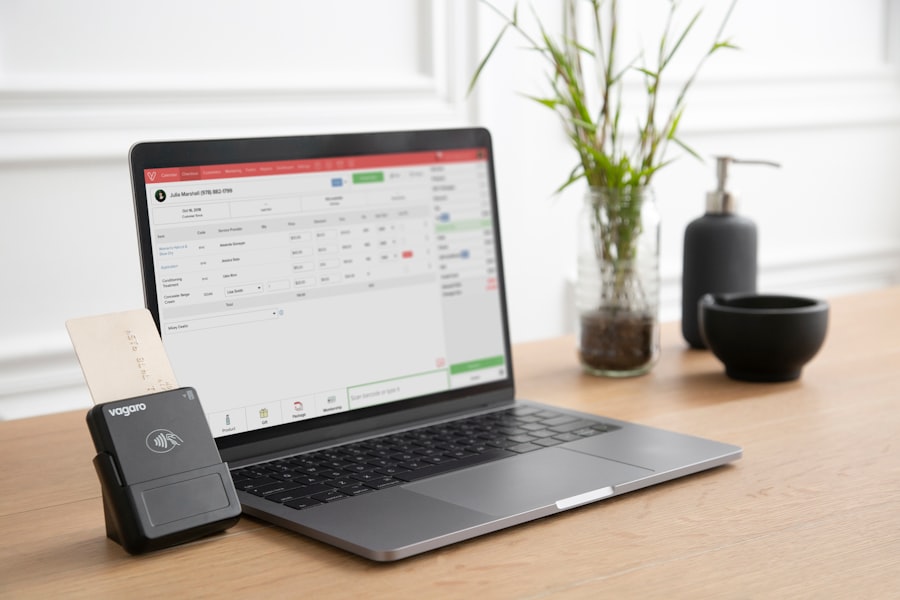
Setting up Xero for your business is a straightforward process that can be completed in just a few steps. First, users need to sign up for an account on the Xero website, where they can choose from various pricing plans based on their specific needs. Once the account is created, users are guided through an initial setup wizard that prompts them to enter essential business information such as company name, address, and contact details.
This step ensures that all financial documents generated by Xero reflect accurate business information. After entering basic details, users can customize their account settings further by adding their chart of accounts, which categorizes all financial transactions. This customization allows businesses to tailor their accounting practices according to their unique operational needs.
Additionally, users can invite team members or accountants to collaborate within the platform, granting them varying levels of access based on their roles. This collaborative feature is particularly beneficial for businesses with multiple stakeholders involved in financial management.
Managing Invoices and Expenses with Xero
Managing invoices and expenses is one of the core functionalities of Xero that significantly enhances operational efficiency. The invoicing feature allows users to create detailed invoices that include line items, tax calculations, and payment terms. Users can also set up recurring invoices for regular clients, ensuring that billing is automated and consistent.
This automation not only saves time but also reduces the likelihood of missed payments or billing errors. On the expense management side, Xero offers a seamless way to track spending through its mobile app. Users can snap photos of receipts and upload them directly into the system, where they are automatically matched with corresponding transactions.
This feature eliminates the need for manual data entry and helps maintain accurate records for tax purposes. Moreover, Xero allows users to categorize expenses by type or project, providing valuable insights into where money is being spent and helping businesses identify areas for cost reduction.
Streamlining Bank Reconciliation with Xero
| Metric | Value | Description |
|---|---|---|
| Monthly Active Users | 3.5 million+ | Number of users actively using Xero each month worldwide |
| Supported Countries | 180+ | Countries where Xero offers localized accounting solutions |
| Bank Connections | 8000+ | Number of bank feeds integrated with Xero for automatic transaction import |
| Invoice Templates | 20+ | Variety of customizable invoice templates available in the software |
| Mobile App Rating (iOS) | 4.7 / 5 | User rating of Xero’s iOS mobile application on the App Store |
| Mobile App Rating (Android) | 4.5 / 5 | User rating of Xero’s Android mobile application on Google Play |
| Integrations | 1000+ | Number of third-party apps and services integrated with Xero |
| Customer Support Availability | 24/7 | Availability of customer support for users globally |
| Average Invoice Processing Time | Less than 1 minute | Average time taken to create and send an invoice using Xero |
| Security Certifications | ISO 27001, SOC 2 | Industry-standard security certifications held by Xero |
Bank reconciliation is a critical aspect of accounting that ensures financial records align with bank statements. Xero simplifies this process through its bank feeds feature, which automatically imports bank transactions into the software. This real-time data synchronization allows users to view their financial position at any given moment without having to manually enter transactions.
Once bank transactions are imported, Xero provides tools for matching these transactions with invoices and expenses recorded in the system. Users can easily reconcile their accounts by confirming matches or creating new entries as needed. The software also highlights discrepancies between bank statements and recorded transactions, enabling users to address any issues promptly.
This streamlined reconciliation process not only saves time but also enhances accuracy in financial reporting.
Utilizing Reporting and Analytics in Xero
Xero offers a robust suite of reporting and analytics tools that empower businesses to gain deeper insights into their financial performance. Users can generate a variety of reports, including profit and loss statements, balance sheets, and cash flow forecasts, all of which can be customized based on specific time frames or criteria. These reports provide valuable information that aids in strategic decision-making and helps business owners understand their financial health at a glance.
In addition to standard reports, Xero’s analytics capabilities allow users to track key performance indicators (KPIs) relevant to their industry. For instance, businesses can monitor metrics such as revenue growth, expense ratios, and customer payment trends over time. By visualizing this data through charts and graphs, users can quickly identify patterns and make informed adjustments to their operations.
The ability to share these reports with stakeholders further enhances transparency and collaboration within the organization.
Integrating Xero with Other Business Tools
One of the significant advantages of using Xero is its ability to integrate seamlessly with a wide range of third-party applications and tools. This integration capability allows businesses to create a cohesive ecosystem where various functions—such as customer relationship management (CRM), inventory management, and e-commerce—work together harmoniously. For example, integrating Xero with a CRM system can automate invoicing based on sales activities, reducing manual entry and improving accuracy.
Moreover, Xero’s extensive marketplace features numerous add-ons that cater to specific business needs. Whether it’s payroll processing software or project management tools, businesses can select applications that align with their operational requirements. This flexibility not only enhances productivity but also allows companies to scale their operations without being hindered by incompatible systems.
Tips for Maximizing Efficiency with Xero Accounting Software
To fully leverage the capabilities of Xero Accounting Software, businesses should consider implementing several best practices aimed at maximizing efficiency. First and foremost, regular training sessions for team members can ensure that everyone is well-versed in using the software effectively. Familiarity with features such as bank reconciliation and reporting will empower employees to utilize the platform to its fullest potential.
Additionally, taking advantage of automation features within Xero can significantly reduce administrative burdens. Setting up recurring invoices for regular clients or automating expense tracking through receipt scanning can save valuable time that can be redirected toward strategic initiatives. Furthermore, regularly reviewing financial reports generated by Xero can help identify trends and areas for improvement, allowing businesses to make proactive adjustments rather than reactive ones.
In conclusion, Xero Accounting Software stands out as a comprehensive solution tailored for modern businesses seeking efficient financial management tools. Its user-friendly interface combined with powerful features makes it an invaluable asset for SMEs aiming to streamline operations and enhance decision-making processes. By understanding how to set up and utilize Xero effectively, businesses can unlock its full potential and drive growth in an increasingly competitive landscape.
