
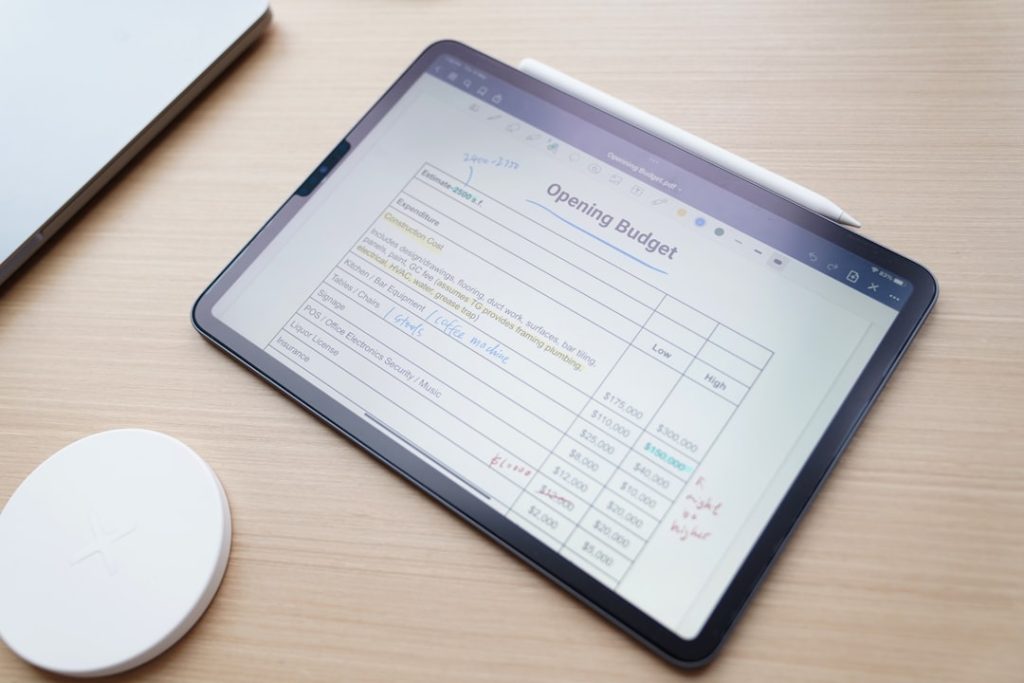
In the modern business landscape, the role of accounting application software has become increasingly pivotal. This software serves as a digital tool designed to streamline and automate various accounting tasks, ranging from bookkeeping to financial reporting. With the advent of technology, traditional methods of accounting, which often relied heavily on manual processes and paper-based documentation, have been largely supplanted by sophisticated software solutions.
These applications not only enhance accuracy but also save time, allowing businesses to focus on strategic decision-making rather than getting bogged down in routine financial tasks. The evolution of accounting software has been remarkable, transitioning from basic ledger systems to comprehensive platforms that integrate various financial functions. Today’s accounting applications can handle everything from invoicing and payroll to tax preparation and financial forecasting.

This shift has been driven by the need for businesses to maintain compliance with ever-changing regulations, manage cash flow effectively, and provide stakeholders with timely financial insights. As organizations continue to embrace digital transformation, understanding the capabilities and advantages of accounting application software becomes essential for maintaining a competitive edge.
Key Takeaways
- Accounting application software streamlines financial management and record-keeping for businesses.
- Key benefits include improved accuracy, time savings, and enhanced financial reporting.
- Important features to consider are user-friendliness, scalability, and integration capabilities.
- Selecting the right software involves assessing business needs, budget, and compatibility with existing systems.
- Successful implementation requires proper training, ongoing support, and adherence to best practices.
Benefits of Using Accounting Application Software

One of the most significant benefits of utilizing accounting application software is the enhancement of accuracy in financial reporting. Manual data entry is prone to human error, which can lead to discrepancies in financial statements and ultimately affect decision-making. Accounting software minimizes these risks by automating calculations and ensuring that data is consistently updated across all financial records.
For instance, when a transaction is recorded, the software automatically adjusts related accounts, reducing the likelihood of errors that can arise from manual adjustments. Another key advantage is the time-saving aspect of accounting software. Traditional accounting methods often require extensive time commitments for data entry, reconciliation, and report generation.
In contrast, modern accounting applications can perform these tasks in a fraction of the time. For example, generating a profit and loss statement or a balance sheet can be accomplished with just a few clicks, allowing accountants and business owners to allocate their time more effectively. This efficiency not only improves productivity but also enables businesses to respond more swiftly to financial inquiries and market changes.
Features to Look for in Accounting Application Software

When selecting accounting application software, it is crucial to consider a range of features that align with your business needs. One fundamental feature is real-time reporting capabilities. This allows users to access up-to-date financial information at any moment, facilitating informed decision-making.
Real-time dashboards can provide insights into cash flow, expenses, and revenue trends, enabling businesses to identify potential issues before they escalate. Another important feature is multi-currency support, especially for businesses engaged in international trade. This functionality allows companies to manage transactions in various currencies seamlessly, automatically converting amounts based on current exchange rates.
Additionally, robust invoicing capabilities are essential; the software should enable users to create customized invoices, track payments, and send reminders for overdue accounts. These features not only enhance cash flow management but also improve customer relationships by ensuring timely billing and follow-up.
How to Choose the Right Accounting Application Software for Your Business
Choosing the right accounting application software requires a thorough assessment of your business’s specific needs and goals. Start by evaluating the size and complexity of your operations. Smaller businesses may benefit from simpler solutions that cover basic accounting functions without overwhelming users with unnecessary features.
Conversely, larger organizations with more intricate financial structures may require comprehensive software that integrates advanced functionalities such as budgeting, forecasting, and multi-entity management. Another critical factor is scalability. As your business grows, your accounting needs will likely evolve as well.
Opting for software that can scale with your organization ensures that you won’t need to switch systems frequently, which can be disruptive and costly. Additionally, consider the user interface and ease of use; software that is intuitive will reduce the learning curve for employees and enhance overall productivity. It’s also wise to read reviews and seek recommendations from peers in your industry to gauge the reliability and performance of different software options.
Implementing Accounting Application Software into Your Business
| Software Name | Key Features | Target Users | Pricing Model | Integration Options | Platform | Customer Rating (out of 5) |
|---|---|---|---|---|---|---|
| QuickBooks | Invoicing, Expense Tracking, Payroll, Tax Filing | Small to Medium Businesses | Subscription | Bank Feeds, Payment Gateways, CRM | Web, Windows, Mac, Mobile | 4.5 |
| FreshBooks | Time Tracking, Invoicing, Expense Management, Reporting | Freelancers, Small Businesses | Subscription | Payment Processors, Project Management Tools | Web, Mobile | 4.3 |
| Xero | Bank Reconciliation, Inventory, Payroll, Multi-currency | Small to Medium Businesses | Subscription | CRM, Payment Gateways, Inventory Systems | Web, Mobile | 4.4 |
| Wave | Invoicing, Accounting, Receipt Scanning, Payroll | Small Businesses, Freelancers | Free with Paid Add-ons | Payment Processors | Web, Mobile | 4.2 |
| Sage 50cloud | Inventory, Invoicing, Payroll, Tax Management | Small to Medium Businesses | One-time License + Subscription | Microsoft Office, Payment Gateways | Windows, Mobile | 4.1 |
The implementation phase of accounting application software is crucial for ensuring a smooth transition from traditional methods or previous systems. A well-structured implementation plan should begin with data migration, where existing financial data is transferred into the new system. This process must be handled meticulously to avoid data loss or corruption.
It’s advisable to conduct thorough testing during this phase to ensure that all data has been accurately imported and that the software functions as expected. Training is another vital component of successful implementation. Employees must be adequately trained on how to use the new software effectively.
This training should cover not only basic functionalities but also advanced features that can enhance productivity. Providing ongoing support during the initial rollout can help address any issues that arise and reinforce user confidence in utilizing the new system. Additionally, establishing clear communication channels for feedback can facilitate continuous improvement in how the software is used within the organization.
Integrating Accounting Application Software with Other Business Systems

Integration capabilities are a significant consideration when selecting accounting application software. Many businesses utilize various systems for customer relationship management (CRM), inventory management, payroll processing, and more. The ability to integrate these systems with accounting software can lead to enhanced efficiency and data accuracy across the organization.
For instance, integrating a CRM system with accounting software allows for seamless tracking of sales transactions and customer payments without requiring duplicate data entry. Moreover, integration can facilitate better financial analysis by providing a holistic view of business performance. When all systems communicate effectively, it becomes easier to generate comprehensive reports that reflect not just financial data but also operational metrics.
This interconnectedness enables businesses to make more informed strategic decisions based on a complete understanding of their performance across different areas.
Training and Support for Accounting Application Software
Effective training and support are essential for maximizing the benefits of accounting application software. A well-designed training program should cater to users at different levels of expertise, from beginners who may be unfamiliar with accounting principles to advanced users who require in-depth knowledge of specific features. Utilizing a combination of training methods—such as hands-on workshops, online tutorials, and user manuals—can accommodate various learning styles and preferences.
Ongoing support is equally important as it ensures that users have access to assistance when they encounter challenges or have questions about the software. Many software providers offer customer support through multiple channels, including phone support, live chat, and email assistance. Additionally, establishing an internal support team within the organization can help address common issues quickly and foster a culture of continuous learning among employees.
Best Practices for Using Accounting Application Software
To fully leverage the capabilities of accounting application software, businesses should adopt best practices that promote efficiency and accuracy. Regularly updating the software is crucial; many providers release updates that include new features, security enhancements, and compliance adjustments. Staying current with these updates ensures that your organization benefits from the latest advancements in technology while maintaining compliance with regulatory requirements.
Another best practice involves maintaining organized records within the software. Implementing a consistent naming convention for files and transactions can simplify data retrieval and reporting processes. Additionally, conducting regular audits of financial data within the system can help identify discrepancies early on and ensure that records remain accurate over time.
Encouraging employees to adhere to established protocols for data entry and reporting will further enhance the integrity of financial information within the organization. By understanding the multifaceted nature of accounting application software—from its benefits and features to implementation strategies and best practices—businesses can make informed decisions that enhance their financial management processes and contribute to overall success in an increasingly competitive environment.
